
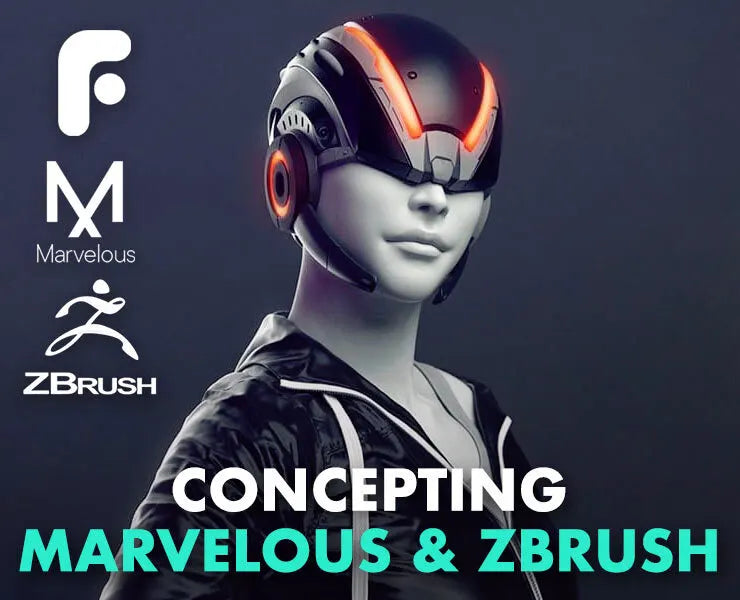
Concepting with Marvelous Designer & ZBrush
Learn how to make stunning clothing - using Marvelous Designer and ZBrush! In this FlippedNormals Tutorial Series, we are covering cutting edge techniques used on some of the biggest films and games out today!
Designed for Characters
Concepting with Marvelous Designer & ZBrush is designed for both newcomers and artists experienced with other 3D software - You'll learn a lot regardless of your skill-level. Having Marvelous Designer in your toolbelt is a necessity if you want to create believable characters!
Joining Forces
One of the big challenges when going from Marvelous and ZBrush is getting them to work together. We take you through simple, yet industry proven methods, to ensure you always get the results you expect. More importantly - you can spend your time creating gorgeous images instead of dealing with technical issues.
4 Hours of Comprehensive Training
We aim to bring you quality over quantity and as with all of our tutorials try to focus on both the 'why' and the 'how'. We've spread this series over 4 hours to keep you engaged and give you the most important bits to get you started concepting with Marvelous Designer & ZBrush.
What You'll Learn
We start out by giving you a brief introduction to Marvelous Designer; you'll have a good idea of how to use the software by the end of it. Once you understand how it works, we move on to creating some simple fabrics, such as trousers and a tanktop. We are also talking about properties of fabric - how is silk different from demin? Next up, we are starting on a more complicated piece of clothing - where we spend most of our time: The windbreaker jacket. This is an excellent piece of clothing to cover as it has a lot of interesting problems to solve.
We jump into ZBrush once we've finished up our windbreaker. ZBrush is a great tool for enhancing our fabric. We are combining the proceduralness and the ease of use of Marvelous Designer with the precision and control of ZBrush. This gives us amazing results in a short amount of time. Zippers, stitches and final details are then added for the last bit of realism!
For anyone using Marvelous Designer in a pipeline, we are also giving you some nice tips and tricks on how to drastically improve your workflow!
What They Say
“FlippedNormals deliver expert knowledge with playful humour that keeps you engaged. I can't think of a better way to learn Marvelous Designer"
Sam Gordon - Senior Modeler formerly at WETA and ILM.
Software Used
- ZBrush 4R7 P3
Files Included
- Final ZBrush Project File
- Final Marvelous Designer Project File
- Base Meshes
- Reference images
- Training Videos
- Hotkey List
Chapter List
- 01 - Intro To Marvelous
- 02 - Importing Your Avatar
- 03 - Reference Images
- 04 - Our First Fabrics
- 05 - Simulation
- 06 - Blocking Out the Jacket
- 07 - Adjustments and Internal Lines
- 08 - Posing with Morph Targets
- 09 - Export Settings
- 10 - Prepping In Zbrush
- 11 - Detailing In Zbrush
- 12 - Zipper and Straps
Pairs well with
If you have any questions, you are always welcome to contact us. We'll get back to you as soon as possible, within 24 hours on weekdays.
-
Shipping Information
Use this text to answer questions in as much detail as possible for your customers.
-
Customer Support
Use this text to answer questions in as much detail as possible for your customers.
-
FAQ’s
Use this text to answer questions in as much detail as possible for your customers.
-
Contact Us
Use this text to answer questions in as much detail as possible for your customers.