


After weeks of having issues getting a complex mesh to wrap around another mesh perfectly, not only did this add-on work exactly for what I needed, but Mark (the developer) even took the time to make me a personalized video showing how I could solve my issue step by step. That's above and beyond customer service and support and I can't thank him enough. I highly recommend this and all his other add-ons!
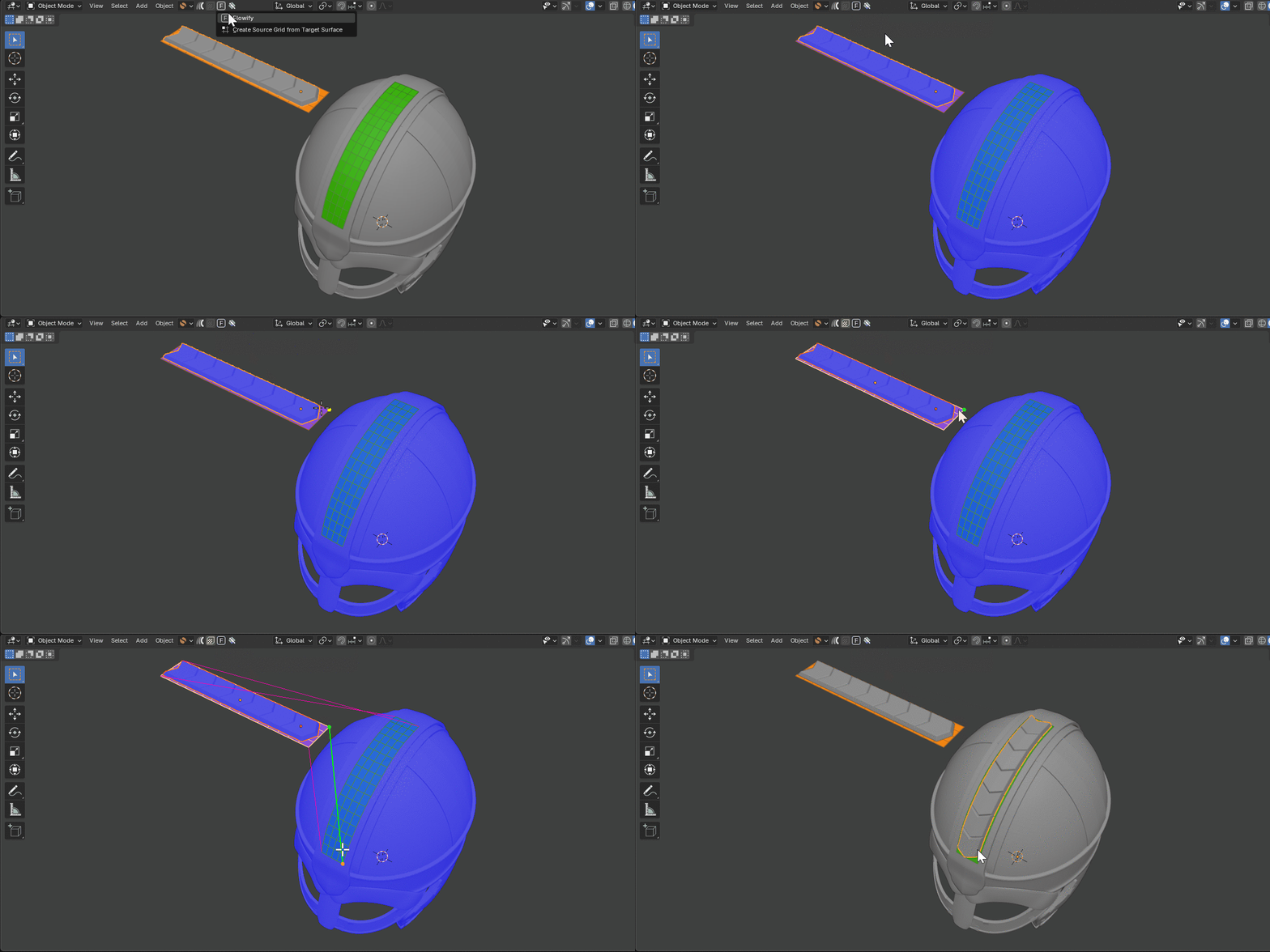
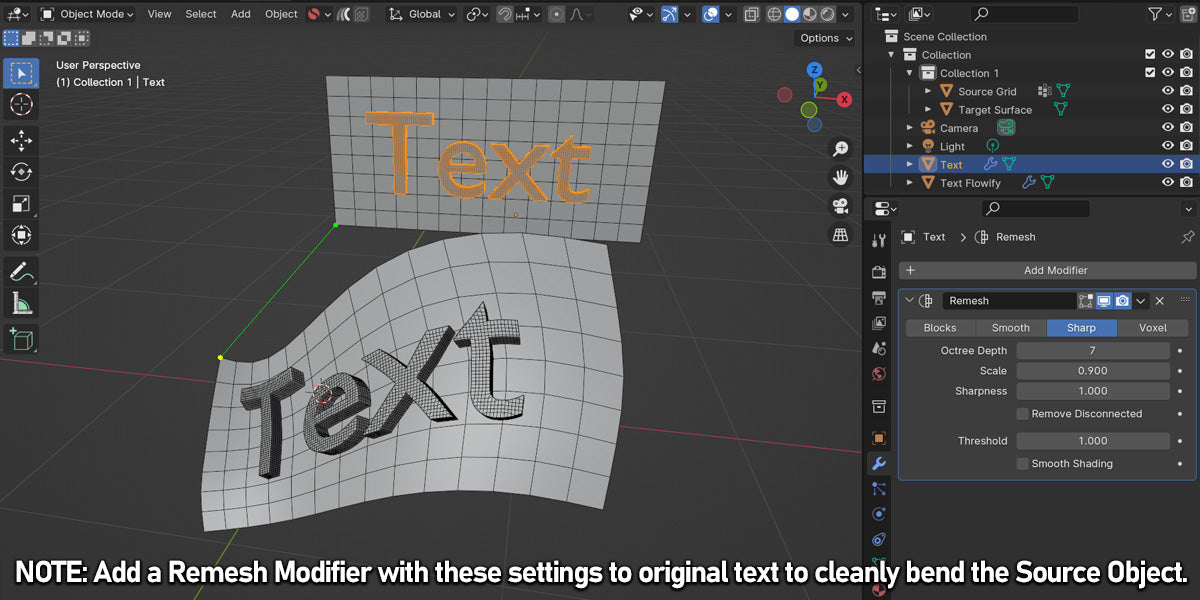
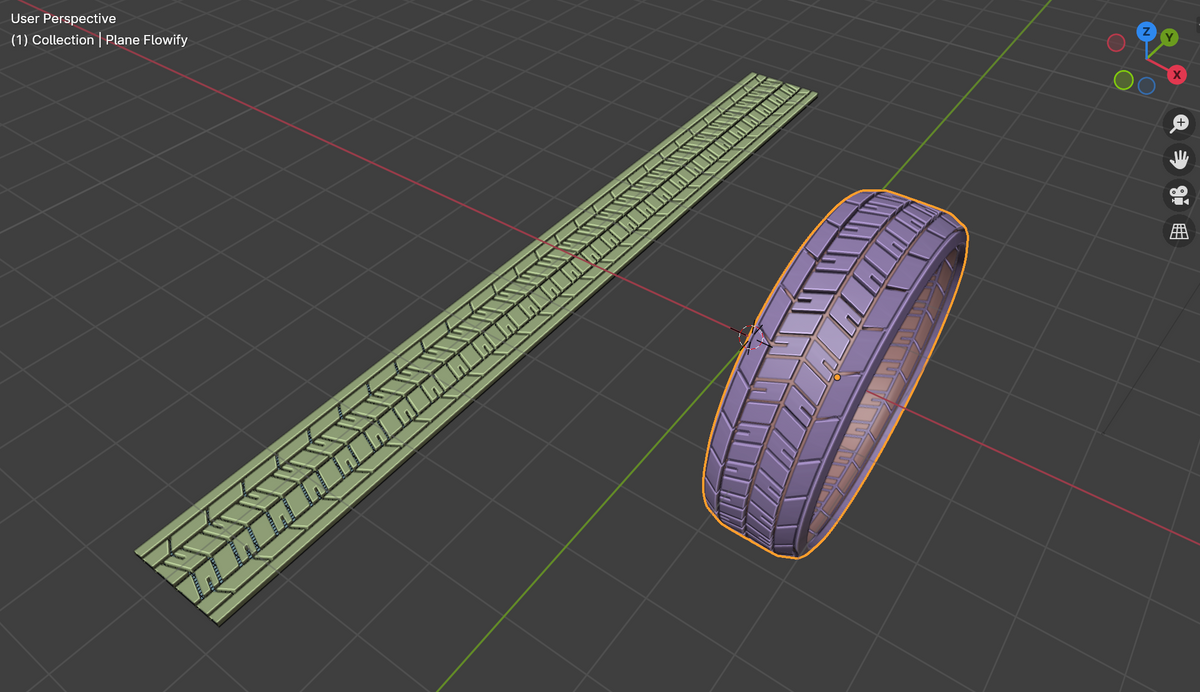
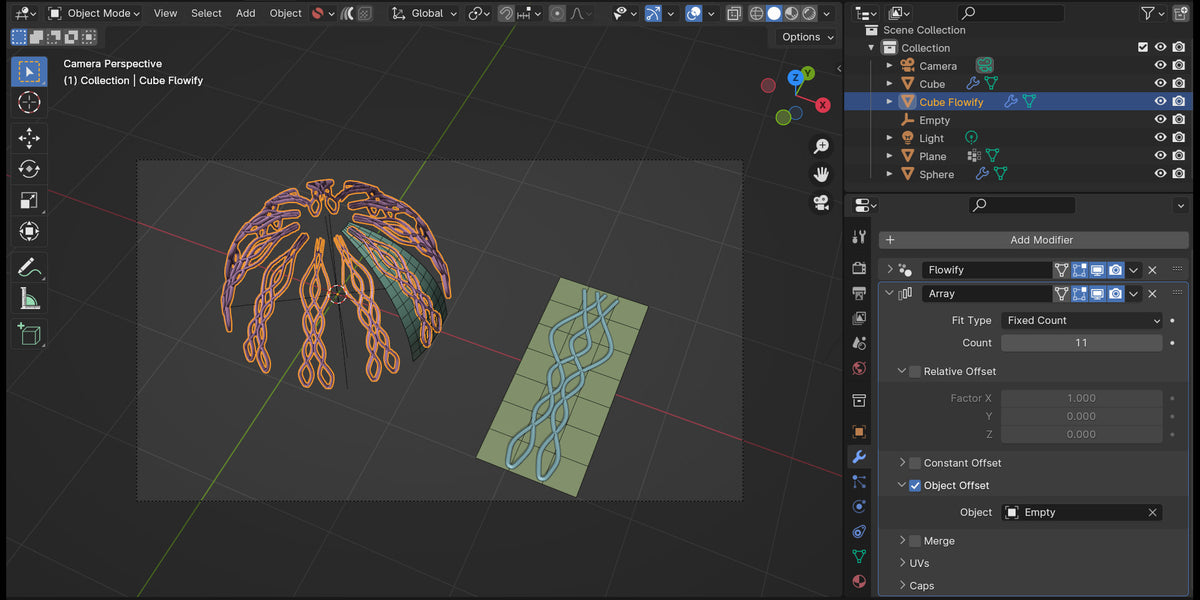
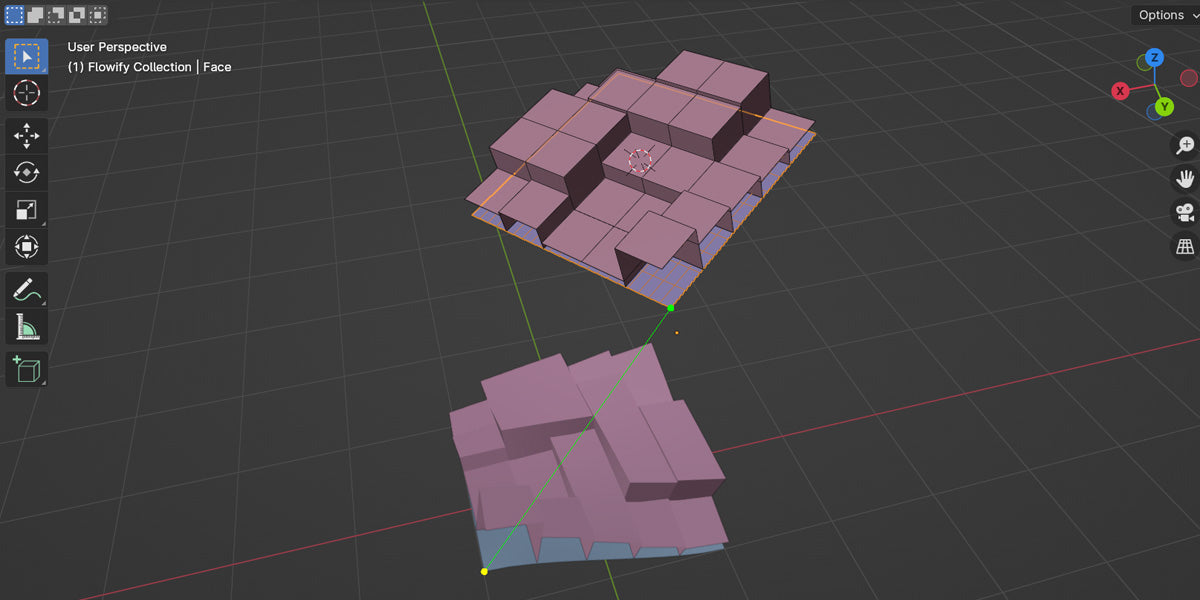


Adding detail onto a Helmet object (model by Andy Woodhead on Sketchfab). Tip: if the object is overlapping the target target surface, try temporarily hiding it.
What is Flowify?
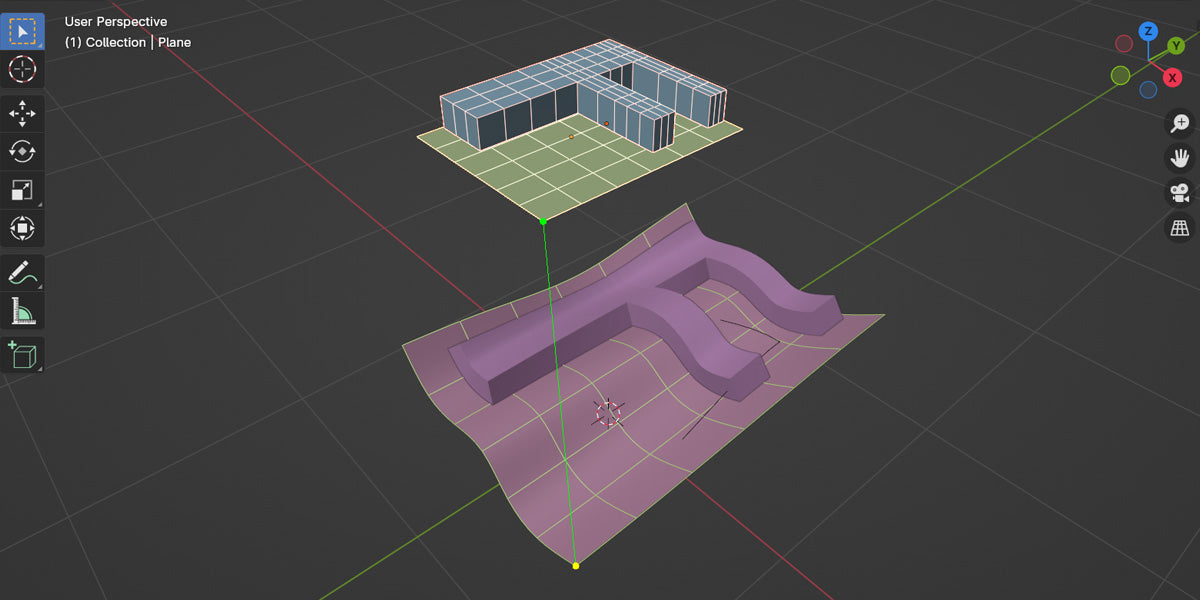
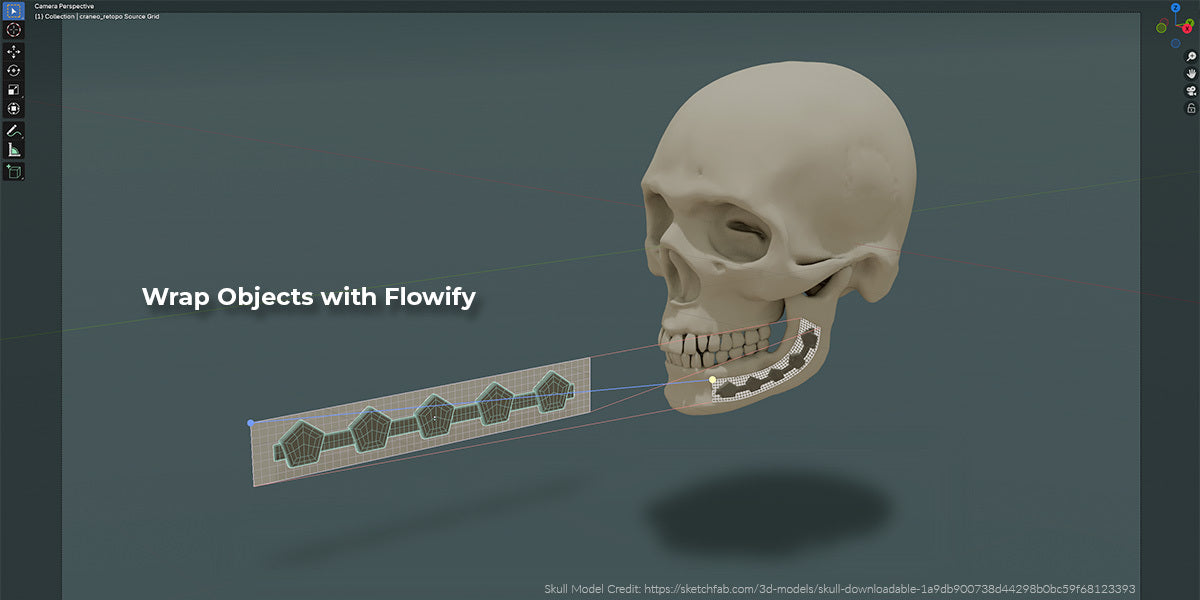
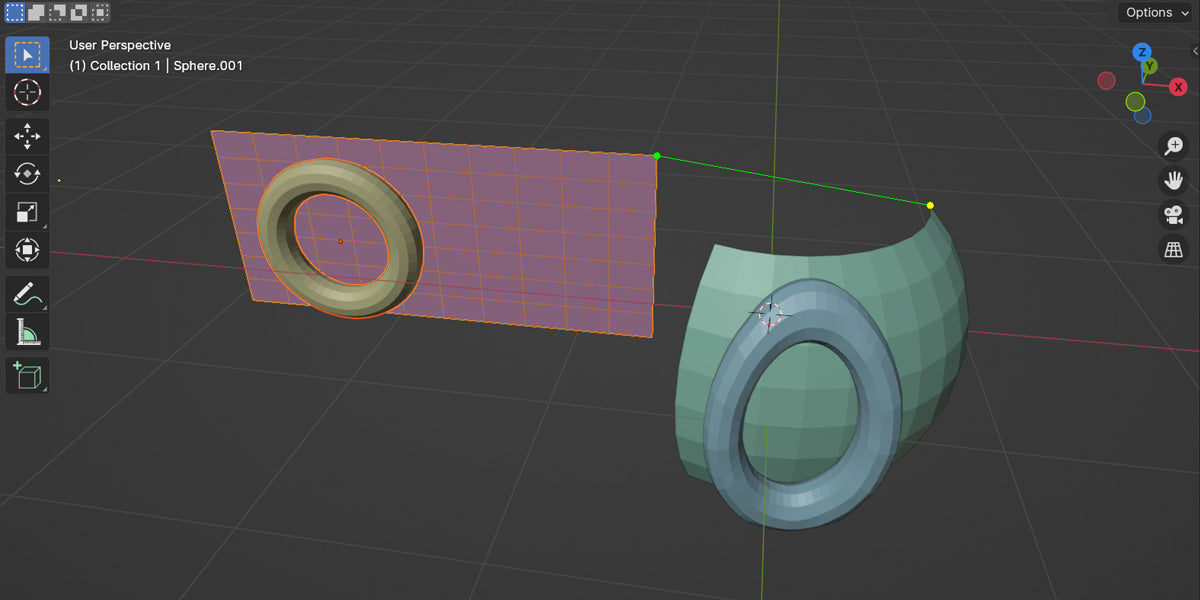
Flowify is a Blender add-on for 3D modelers that can bend an object to a surface object that has evenly spaced four sided faces and four corners or are cylindrical in nature. A simple flat reference grid is used to guide the deformation.
This enables the creation of interesting objects that could be challenging to model otherwise.
See these videos by popular YouTubers Artisans of Vaul and CGEssentials:
To use, create the following objects:
- The Source Object is the object you wish to bend.
- The Source Grid is a flat reference plane used to guide the bending.
- The Target Surface is either a 4 sided, 4 faced surface you wish to bend to, or an open cylinder.

Then select the Source Object and run Flowify from the right-click menu. Choose a matching corner between the Source Grid and the Target Surface. Flowify will then generate the result for you.
For more detailed information see the Overview Video or read the Step By Step guide.
This Add-On is based on the Flowify Sketchup plugin of the same name, which is in turn based on the Flow Along Surface (Move AlongSurf) command in Rhino.

Features
- Edit the Source Object and the result will be automatically updated.
- Edit the Target Surface and the result will automatically update as well.
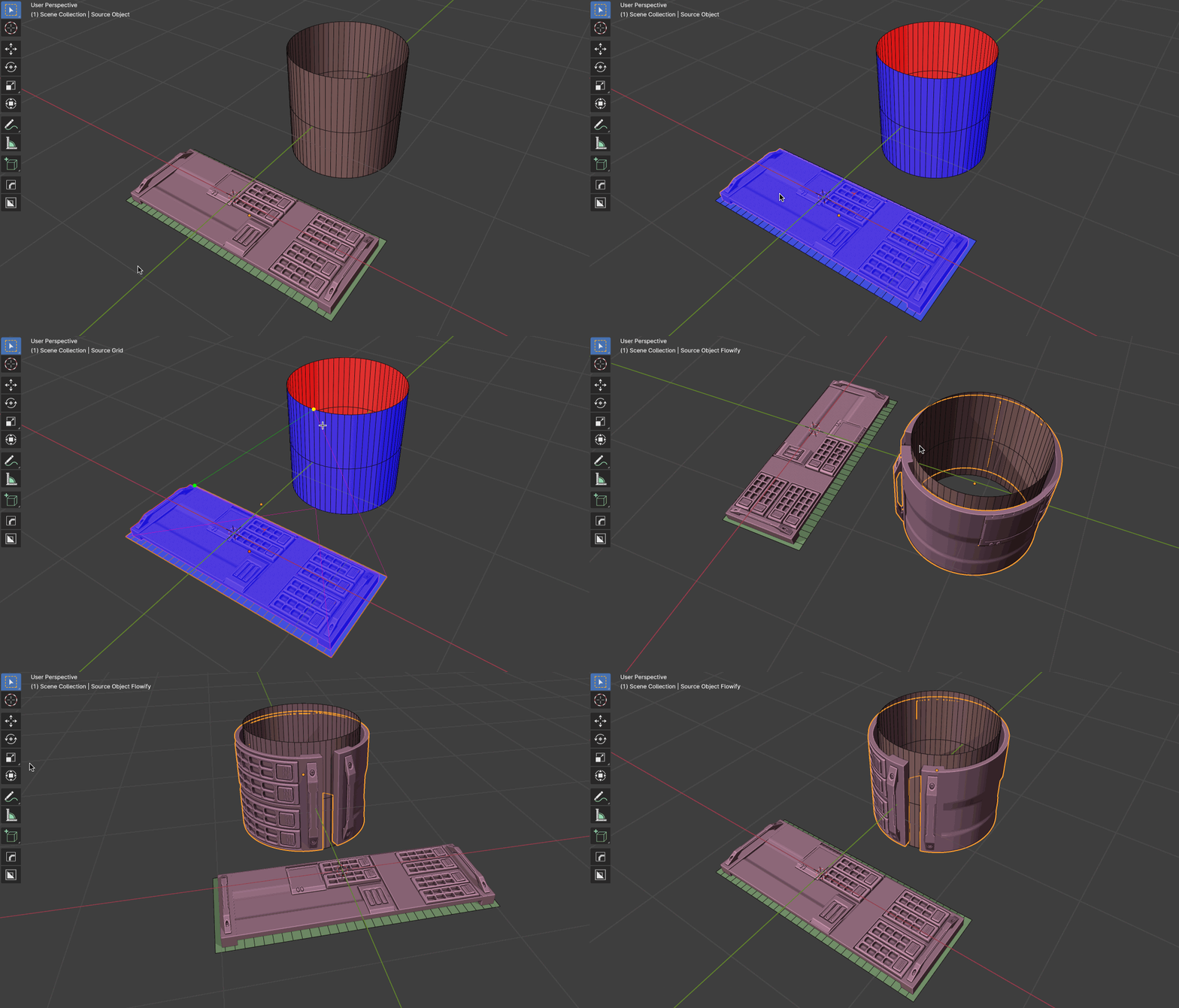
- Works on flat and cylindrical surfaces.
- Materials are also copied over.
- Use on regular objects, instanced objects and text (As long as they have deformable topology).
- Configure a Flowify modifier with additional options afterwards.
- Use optionally in Blender’s Quad View mode.
Please Note...
- The deformation will only be as good as a Source Object’s mesh topology: The mesh needs enough vertices and faces for it to deform well.
- See the differences between this and my other surface matching add-ons Conform Object and Mesh Materializer in the FAQ here.
- Contact info@configurate.net if you have any questions.
Questions?
If you have any questions or issues do not hesitate to get in touch by clicking the 'Ask a Question' button on this page or by emailing info@configurate.net.
Documentation
Read the documentation at https://flowify-docs.readthedocs.io/

Updates
Version 1.1: Cylindrical Surfaces
Flowify now comes with the ability to bend objects around cylindrical surfaces as well. See this update video:
Reviews & Testimonials
★★★★★
Britt
“After weeks of having issues getting a complex mesh to wrap around another mesh perfectly, not only did this add-on work exactly for what I needed, but Mark (the developer) even took the time to make me a personalized video showing how I could solve my issue step by step. That's above and beyond customer service and support and I can't thank him enough. I highly recommend this and all his other add-ons!”
★★★★★
JQ
“Great product, has become absolutely indispensable in my hard surface modeling, helping me get just the right look in the armors and weapons I've been making. (Pro: don't forget to dice/slice the likely solid mesh BEFORE you try to Flowify it).”
★★★★★
Clément
“Perfect add-on which solved my problem. Mark is very helpful and very responsive, he made a video to help me understand what i missed to use the add-on and gave me some other blender tips. I recommend it, very cool add-on and developper !”
★★★★★
Jeroen
“I needed an easy way to put pockets and belt loops on some pants. This add-on made that process very easy. I could even change the position as well as the geometry afterwards and after the pants was already rigged. Awesome! … Both the addon and the support: 10/10 And his other addons are just as awesome by the way!”
★★★★★
Lee Ashworth
“Only had a quick go with Flowify, I can already see the amazing wonders of making space craft greebles with it, those made by others that look impossible to do are now easy, thanks for this addon.”
You may also like...
...or any of my other add-ons.
5.0
11 ratings on Superhive
Great product, has become absolutely indispensable in my hard surface modeling, helping me get just the right look in the armors and weapons I've been making. (Pro: don't forget to dice/slice the likely solid mesh BEFORE you try to Flowify it).
Perfect add-on which solved my problem. Mark is very helpful and very responsive, he made a video to help me understand what i missed to use the add-on and gave me some other blender tips. I recommend it, very cool add-on and developper !
I needed an easy way to put pockets and belt loops on some pants. This add-on made that process very easy.
I could even change the position as well as the geometry afterwards and after the pants was already rigged. Awesome!
Mark has a couple of very clear tutorials on YouTube about his addons which help taking the right steps in the right order. (Highly recommended!)
Also the support was next level. When I asked Mark which addon, "Flowify" or "Confirm Object" was the best suited for this particular job, he not only explained the difference between the two and his other addon "Mesh Materializer", but also sent me an example Blender file he made with Flowify and a coupon to download Mesh Materializer for free so I could test that one too if I'd like.
Both the addon and the support: 10/10
And his other addons are just as awesome by the way!
Mark is very supportive. Making videos how to solve it, giving tips, and even sending the updated file. Great customer service!
Works great! can't wait to use it in the future! Also, a Huge shoutout to Mark for the quick response and fix on my user error with Flowify. Thank you!
It is a very good add-on and is useful for transferring 3D logos to curved surfaces.
The only improvement is that both the source and target surfaces are currently clipped when they reach the edge of the plane.
If I want to go a little further, I need to remodel each surface.
It would be nice to be able to extend the deformation beyond the end of the plane with a plane that maintains the same curvature.
Translated with www.DeepL.com/Translator (free version)
Another wonderful addon from an extraordinary developer and a great person. Thank you once more for your work, Mark!
Yer a Blender addon wizzard, Mark Kingsnorth. And a thumpin' good one at that, I'd wager.
It's a pretty good ADDON, but I've probably used similar features in other 3D software, so I thought it would be nice to add a little more convenience.
For example, it would be convenient to create a completely flat Source Grid from the target surface.