
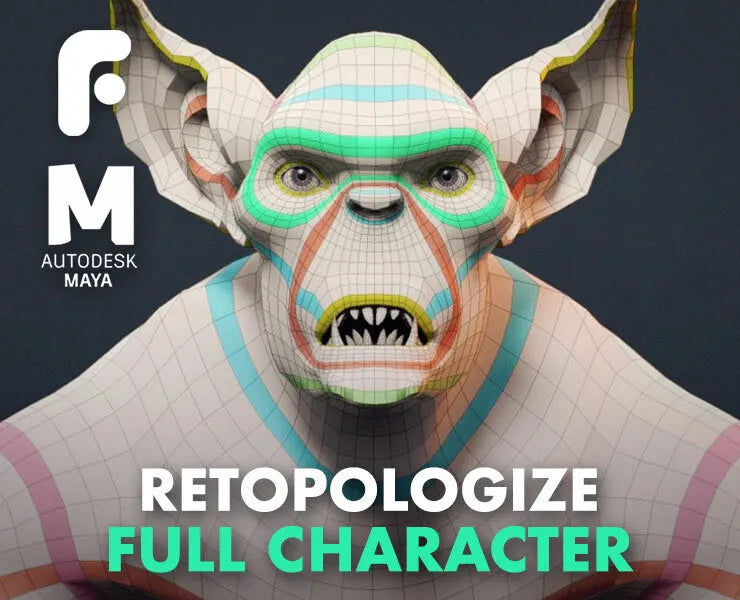
How to Retopologize a Full Character
With almost 5 hours of high-quality training, you'll learn how to retopologize a full character from start to finish. We cover how to prepare your model in ZBrush, block out the most important loops and how to connect everything up. This exact method has been used for retopo of characters like the Xenomorph from Alien Covenant, and many more.
For All 3D Software
Follow along in your favourite 3D software, like Blender, 3ds Max and Modo! While we're using Maya 2018, the principles are exactly the same in all other tools. As long as you know how your retopology tool works, you should be able to follow along with no problem, using your preferred 3D package!
Learn How to Retopo for Film
This technique for retopology has been developed while working in the film industry, where the topology requirements are intense! Once you know this method, you'll be able to retopologize your own characters time and time again. It's a formula that can be repeated on any character, regardless of style and complexity.
Professional UV Layout
Learn how to quickly and efficiently UV map a full character, which not only has no stretching but also will be ready for texturing in Mari. By the time we're done, the character has a very practical UDIM layout, perfect for Mari. You'll also learn how to copy UVs from one model to another, like the teeth and claws.
Contains
- All Project files for each chapter (Maya & ZBrush files)
- List of Helpful FlippedNormals Videos
- UV Checker
Software Used
- Maya 2018
- ZBrush 2018
Chapter List
- 01 - Retopology preparation in ZBrush
- 02 - Blocking in the loops
- 03 - ConnectingLoops
- 04 - Head retopology
- 05- Ears retopology
- 06- Hands retopology
- 07 - Feet retopology
- 08 - Finalizing the body
- 09 - Modeling teeth, eyes, claws & tongue
- 10 - UV Mapping of the Body
- 11 - Additional UV mapping
- 12 - Model cleanup
- 13 - Reprojecting in ZBrush
Level: Intermediate/Advanced
This tutorial is made for people with an intermediate understanding of how 3D software works - and who wants to take their work to the next level. While all the steps are shown, it's expected that you know Maya (or your preferred 3D software) works.
Pairs well with
If you have any questions, you are always welcome to contact us. We'll get back to you as soon as possible, within 24 hours on weekdays.
-
Shipping Information
Use this text to answer questions in as much detail as possible for your customers.
-
Customer Support
Use this text to answer questions in as much detail as possible for your customers.
-
FAQ’s
Use this text to answer questions in as much detail as possible for your customers.
-
Contact Us
Use this text to answer questions in as much detail as possible for your customers.