
I hardly ever write reviews but I just can't help it in this case. This series is phenomenal! I have worked in 3D both as a hobbyist and professionally for over 18 years and I've been a Blender user for the past 4 years. I have always seen great potential in Geometry Nodes but it just never clicked. I have tried countless Youtube tutorials as well as a paid tutorial series by a well known YouTube 3D artist. In all cases, I could follow the tutorials just fine but I didn't truly understand the fundamentals which is important when it comes to integrating this tool into your own projects. That's where this CGMatter tutorial series really gets things right. Through each chapter, you learn to use the fundamentals of Geometry nodes in a way that truly helps you understand how these nodes can work together. At the end of each chapter I was able to test what I learned in my own projects with a level of clarity that no other series has given me. Each chapter builds off the previous in a very organic way and the pacing is slow enough to get a grasp but fast enough to keep it interesting.
I really can't recommend this course enough and I'm honestly excited to see how my 3D work will evolve with the help of geometry nodes. This course isn't about making flashy scenes, it's about actually learning the fundamentals so you can make the flashy scenes on your own without any guidance. Thank you for this series.
[Update 3/30/26] - I got back the rights to this course so I can set whatever price I want...
Price has now gone from $55 → $30
(now also included with Genie)
The Time to Learn Geometry Nodes
is NOW...

Introduction to Geometry Nodes
is the ultimate course for beginners. No prior experience, advanced math, or even familiarity with nodes necessary. Gain the powers of proceduralism in just 5.5 hours
!
Chapter 0 - Intro

Chapter 1 - Fractals

Chapter 2 - Animation

Chapter 3 - Fields

Chapter 4 - Points

Chapter 5 - Outro

✕
Chapter 0 - Meet The Instructor (2 min)
-
Part 1: Introduction (2 min)
- Introduce the instructor and the goals of the course.

✕
Chapter 1 - Building Up To A Fractal (46 min)
-
Part 1: Setting up (5 min)
- Accessing geometry nodes and some quality of life adjustments before diving in.
-
Part 2: What are geometry nodes (7 min)
- Thinking of geometry nodes as a nodegroup in the modifier stack. Creating custom modifiers with nodes.
-
Part 3: Right to the fractal (34 min)
- Creating a Menger Sponge (2D analog) with cube primitive, transform geometry, and join nodes. Complexity arising from chaining instanced node groups.

✕
Chapter 2 - Ditching Keyframes For Proceduralism (1 hour 40 min)
-
Part 1: Introducing time & math (2 min)
- Becoming familiar with the scene time and math nodes.
-
Part 2: Basic animations (26 min)
- Animating by using scene time as a vector component. No keyframes required.
-
Part 3: Assembling gear systems (20 min)
- Adding complexity to basic animations. Using interpolation functions and custom parameters for accurate gear-to-gear contact.
-
Part 4: Clocks with real-world time (52 min)
- Creating a fully usable clock with custom models and stylized motion. The ultimate test of what we learned in this chapter.

✕
Chapter 3 - Making Snow & Terrains With Fields (1 hour 16 min)
-
Part 1: Terrains via height maps (33 min)
- Treating geometry as a means to store and update field information. Modifying the position field via set position to create procedural terrains.
-
Part 2: Snow via point clouds (43 min)
- Thinking of point clouds as basic position + radius visualizers. Using “Pac-Man portals” for a blazingly efficient neverending snowfall.

✕
Chapter 4 - Points For Fur & FX (1 hour 32 min)
-
Part 1: Fur and the point-instance workflow (51 min)
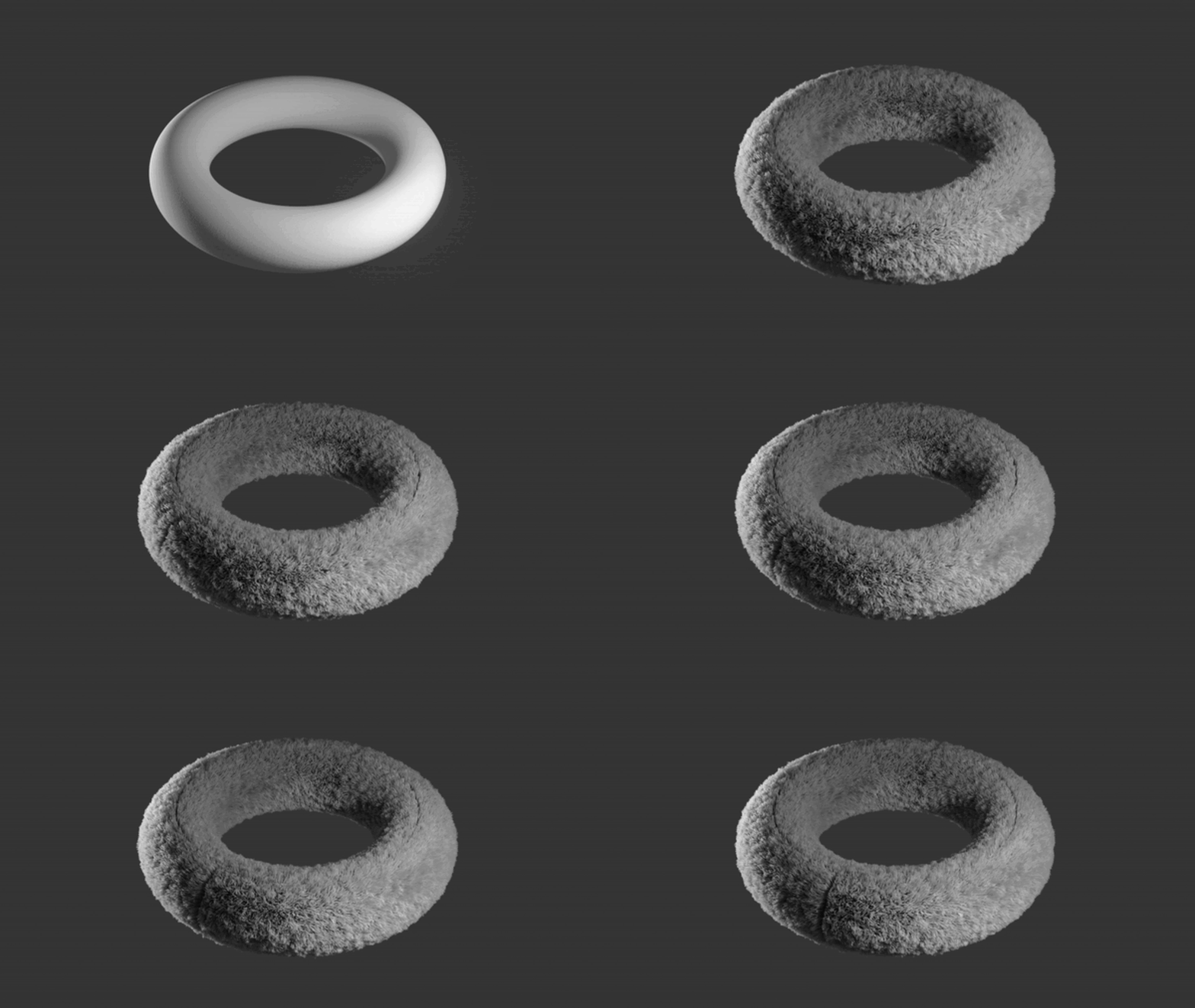
- Using distribute points on faces as a means to capture surface information. Instancing objects on points with normal orientations and random attributes.
-
Part 2: Object morphing FX (41 min)
- Sampling a field from one object to apply to another. Sampling corresponding positions from pairs of points to create a seamless morphing effect. Bonus sneak peek into volumes and remeshing.

✕
Chapter 5 - Where To Go From Here (6 min)
-
Part 1: Outro (6 min)
- Overview of what we've covered and tips for going further.
Project Files & Hotkey Cheatsheet
While I believe it's best to work alongside the videos, project files are includedanyways. These are highly organized networks (optimized for legibility) and come with some extra goodies :)

If you can't read these networks yet... by the end of the course you will!
 *this is a high-level overview of the fractal network
 *this is a high-level overview of the snow network
And since I thought of everything - a cheatsheet of all the hotkeys we'll be using is included.
Course Structure
Chapter 0 - Meet The Instructor (2 min)
-
Part 1: Introduction (2 min)
- Introduce the instructor and the goals of the course.
Chapter 1 - Building Up To A Fractal (46 min)
-
Part 1: Setting up (5 min)
- Accessing geometry nodes and some quality of life adjustments before diving in.
-
Part 2: What are geometry nodes (7 min)
- Thinking of geometry nodes as a nodegroup in the modifier stack. Creating custom modifiers with nodes.
-
Part 3: Right to the fractal (34 min)
- Creating a Menger Sponge (2D analog) with cube primitive, transform geometry, and join nodes. Complexity arising from chaining instanced node groups.
Chapter 2 - Ditching Keyframes For Proceduralism (1 hour 40 min)
-
Part 1: Introducing time & math (2 min)
- Becoming familiar with the scene time and math nodes.
-
Part 2: Basic animations (26 min)
- Animating by using scene time as a vector component. No keyframes required.
-
Part 3: Assembling gear systems (20 min)
- Adding complexity to basic animations. Using interpolation functions and custom parameters for accurate gear-to-gear contact.
-
Part 4: Clocks with real-world time (52 min)
- Creating a fully usable clock with custom models and stylized motion. The ultimate test of what we learned in this chapter.
Chapter 3 - Making Snow & Terrains With Fields (1 hour 16 min)
-
Part 1: Terrains via height maps (33 min)
- Treating geometry as a means to store and update field information. Modifying the position field via set position to create procedural terrains.
-
Part 2: Snow via point clouds (43 min)
- Thinking of point clouds as basic position + radius visualizers. Using “Pac-Man portals” for a blazingly efficient neverending snowfall.
Chapter 4 - Points For Fur & FX (1 hour 32 min)
-
Part 1: Fur and the point-instance workflow (51 min)
- Using distribute points on faces as a means to capture surface information. Instancing objects on points with normal orientations and random attributes.
-
Part 2: Object morphing FX (41 min)
- Sampling a field from one object to apply to another. Sampling corresponding positions from pairs of points to create a seamless morphing effect. Bonus sneak peek into volumes and remeshing.
Chapter 5 - Where To Go From Here (6 min)
-
Part 1: Outro (6 min)
- Overview of what we've covered and tips for going further.
I thank you for trusting me in starting your procedural journey :)
5.0
4 ratings on Superhive
Thank you for making Geonodes understandable and for the quality of the videos. Outstanding!
I've been hesitating on constructively learning GeoNodes for years now, until I found this gem from CGMatter himself.
It takes you on a journey from knowing nothing into knowing so much more. If you are dedicated to discovering the potential that GeoNodes have, then this introduction is a great primer for what's ahead.
I highly recommend!
Wow! I feel like geometry nodes tutorials were always interesting but I don't get them. This is the first time I can actually follow what is going on I feel like.