


Works like a charm, save my butt in many difficult situations. Good documentation, easy to use. Thanks!

What is Mesh Materializer?

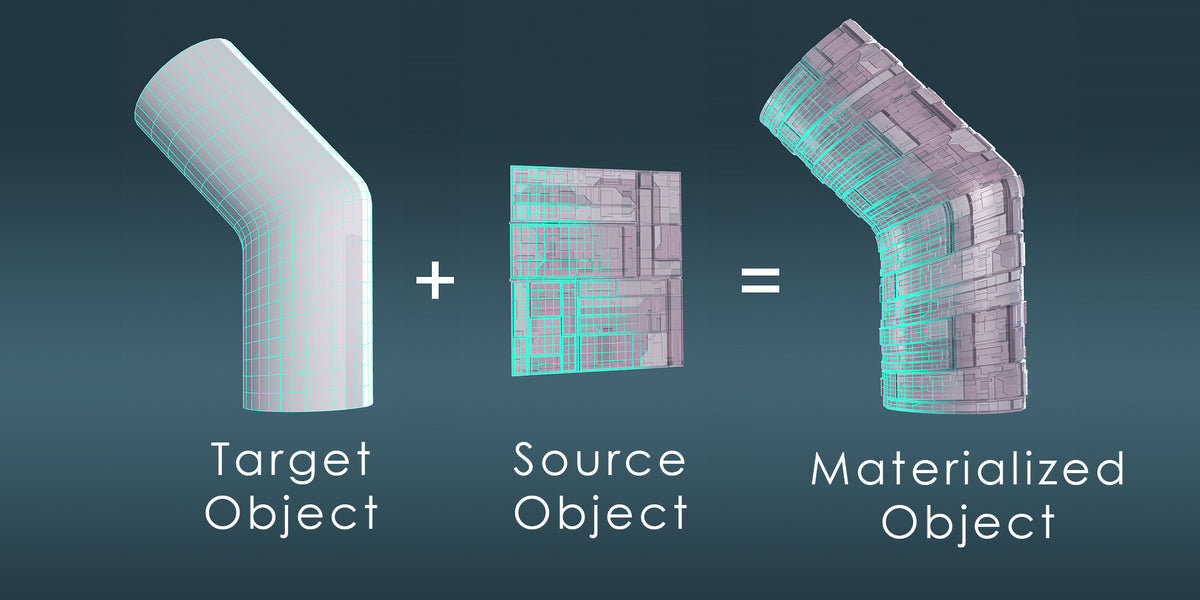
For any 3D modeler that needs to wrap an object onto the surface of another object like a material, using a UV texture map as a guide.
The add-on handles the complexity of doing this for you in a non-destructive way by adding a unique modifier:

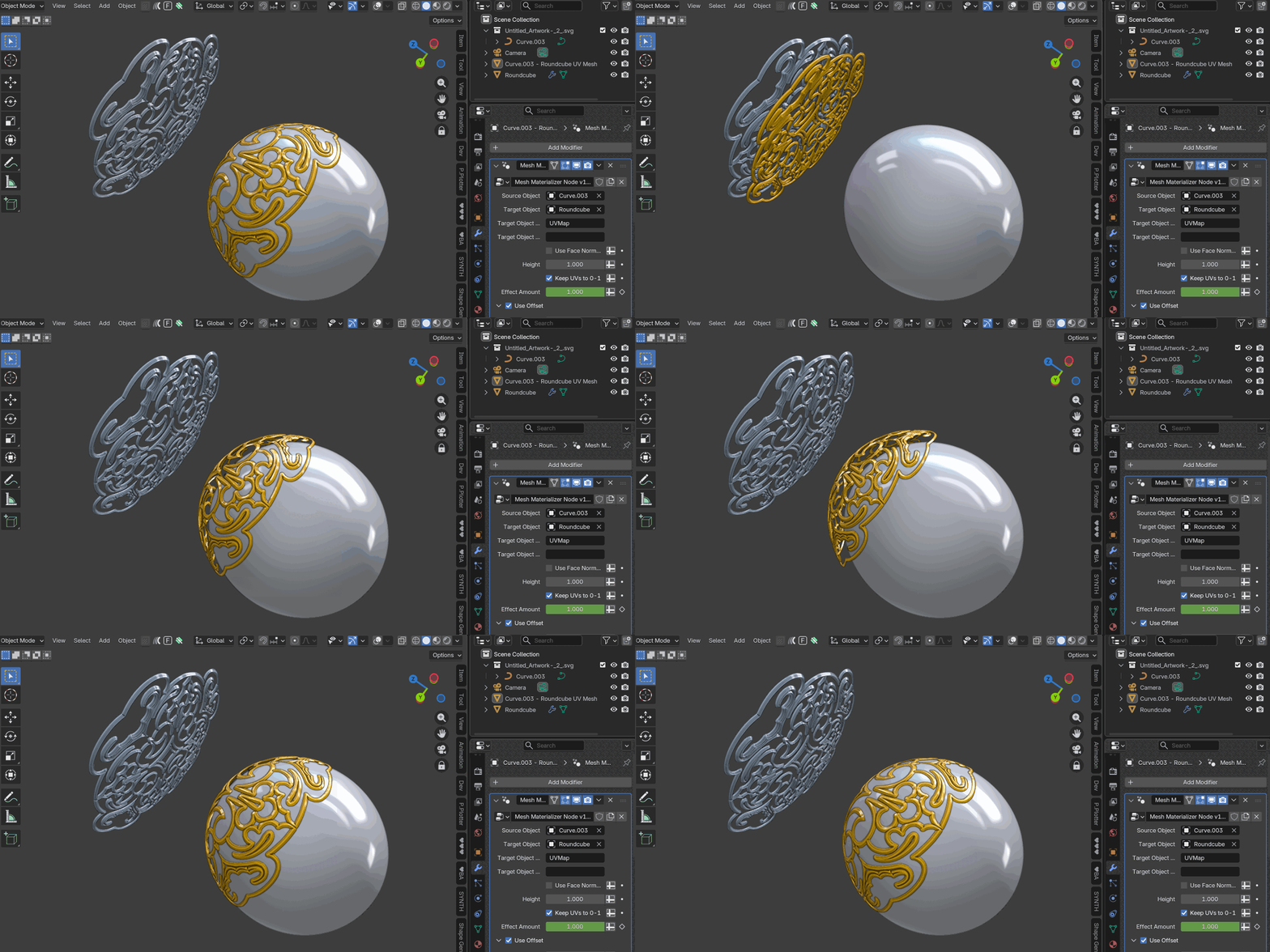
The Source Object (the spiral) is wrapped onto the Target Object (the egg) using the Target Object’s UV Map. It is then re-positioned using the modifier.
Features
- Simple right-click menu option performs the operation in one go.
- The add-on maps the X direction of the object to the U direction of the UV map and the Y direction to the V direction.
- Source object UVs and materials are transferred to the newly created object.
- Use in combination with any other modifiers.
- Control the height of the projected object above the Target Object.
- Position, scale and rotate the object on top of the Target Object.
- Update the original objects and the result will change in realtime.
- A Preview Mode helps you position the object by unwrapping the Target Object’s UVs.
- Creates a regular Blender object that can be exported or edited once its modifiers are applied.
- Underlying objects are not affected.
Please Note
-
This add-on assumes experience with UV Maps.
-
The add-on does not currently work with overlapping UVs.
-
Check out the UV Squares add-on which can be useful when creating square UV Maps to wrap to.
Examples

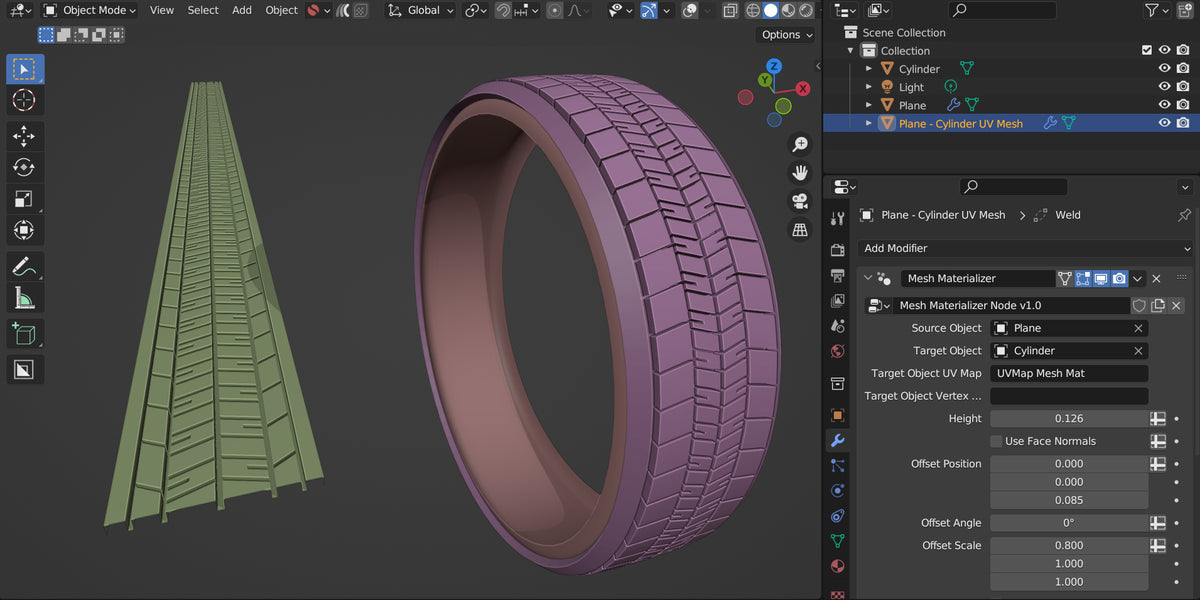
A Tyre Pattern wrapped around a cylindrical shape (See Overview Video)

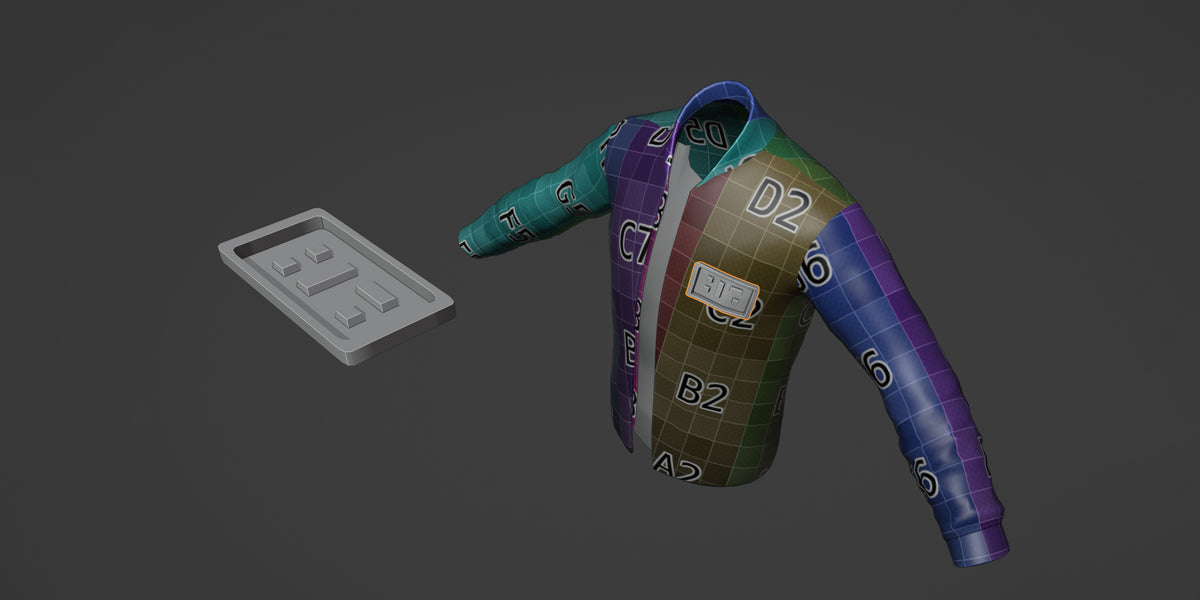
A badge is applied to a piece of clothing (Jacket Credit: Curtis Kinney)

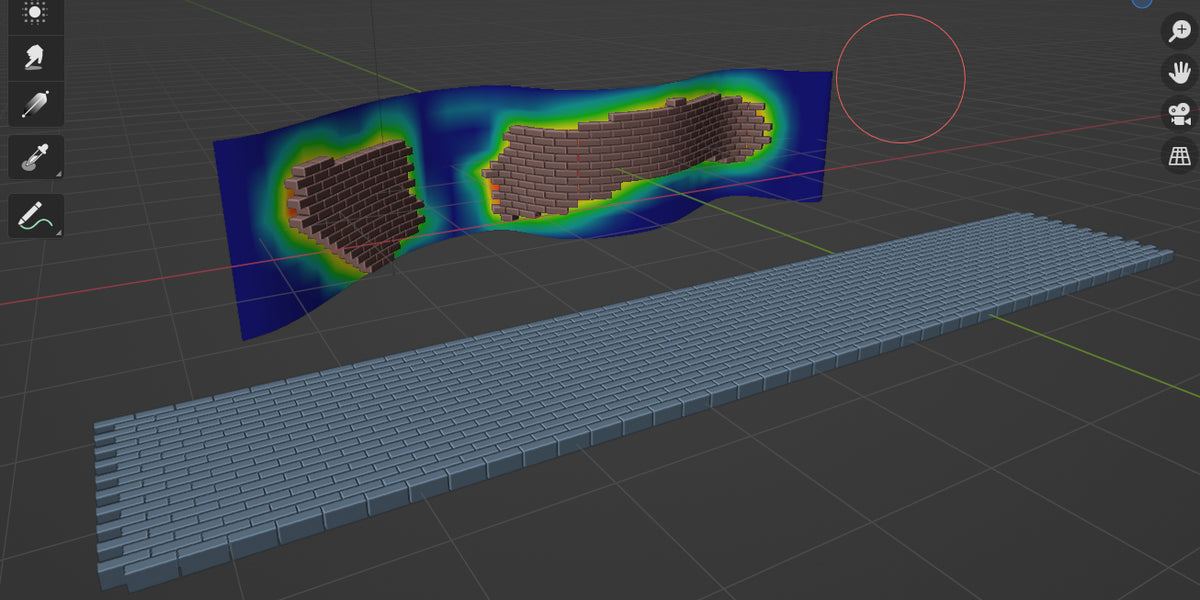
A Vertex Group is added to the Target Object (the wall) and then used to 'paint' bricks on a wall. See the tutorial video here.

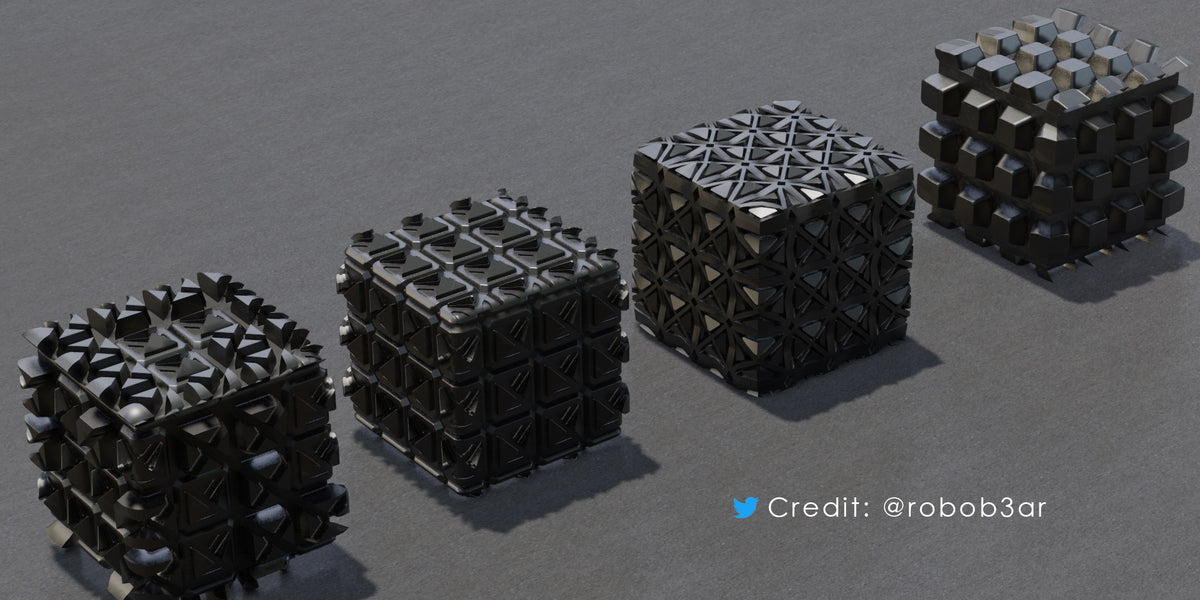
Markom3D's Greeble Pack is applied to a circular tube shape with a UV Map created by UV Squares.

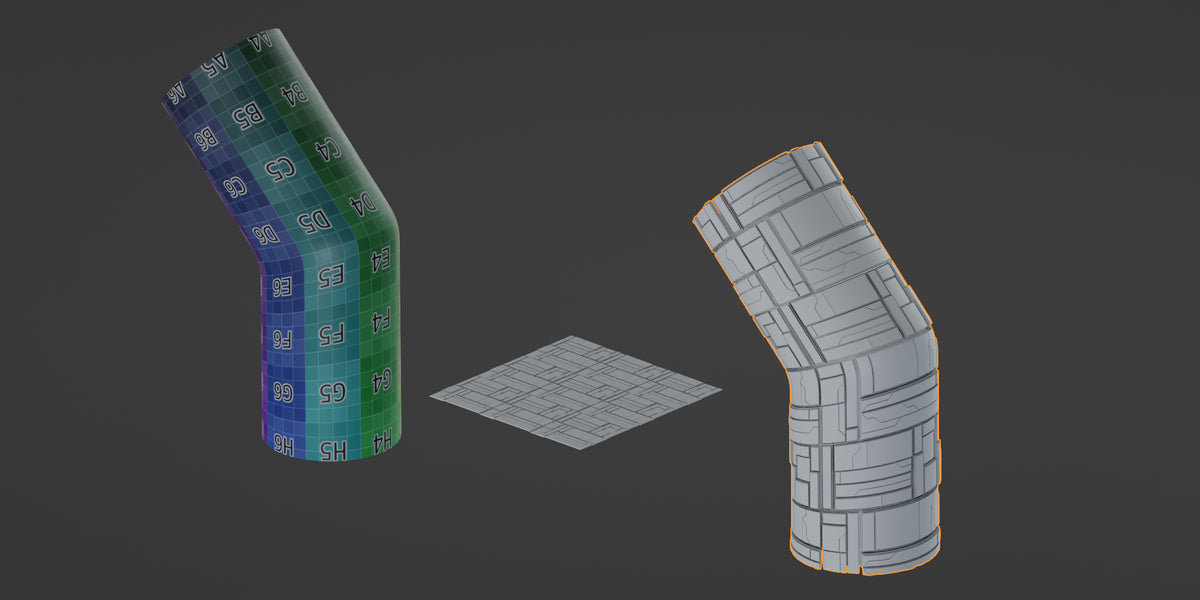
A plating effect is applied to a simple pipe.
Questions?
If you have any questions or issues do not hesitate to get in touch by clicking the 'Ask a Question' button on this page or by emailing info@configurate.net.
Documentation
Documentation is at https://mesh-materializer-docs.readthedocs.io/

You may also like...
...or any of my other add-ons.
5.0
1 rating on Gumroad
8 ratings on Superhive
This tool is currently the best solution for addressing model tiling issues.
The developers promptly and enthusiastically resolved the technical issues I encountered. In addition to addressing the plugin's functionality itself, they provided multiple solutions to help me overcome the difficulties I faced.
This addon is incredibly helpful. It makes the nearly impossible possible. I had to lay 3 rows of text onto an oval object and no matter what i tried with shrinkwrap it wouldn't look great. This addon made it perfect and it was so fast once I knew the steps. I reached out to the developer to ask a couple questions about it and he made me a video to show me how to do exactly what I wanted (never seen that kind of customer service before), Once I saw the video it took me less then 2 mins to have it looking exactly the way I wanted it AND in the video I learned to do other things on Blender that I wish I had learned months ago. I highly recommend this addon and anything else that Mark develops. A++++++++++++
This is fantastic! I’ve been trying to figure out a better way to create mesh for hockey nets and this add-on works so well for my project
Good add-on made simple task more easy like for a plastic accordion pipes etc...
And u get a really fast Support !
Also its work on blender 3.0 version 0.0.17
Once again Mark developed something I can't live without! A very fast way to texture and there really seems to be no limit other than computer horsepower to what can be achieved. Thanks again Mark!!
A great alternative to tiller!
ps. need more pattern type! ;]
Only been using blender for a couple of months (I'm actually a fine artist/painter) and found some incredible addons mostly by Mark Kingsnorth, mesh materializer is fantastic, the variation of form is limitless, it's easy to use and by far in my top 3 addons now, thank you again Mark