
Pack thousands of UV islands in seconds on the CPU. Pack even faster with Cuda GPU acceleration!






Add-on for Blender · Windows, Linux & Mac
UVPackmaster 4 is a UV packing engine that runs on your CPU and every GPU in the machine at the same time. It also stacks islands, sorts them into UDIM tiles, and lets you script the packing logic in Python.
UVPackmaster 4 for Blender features
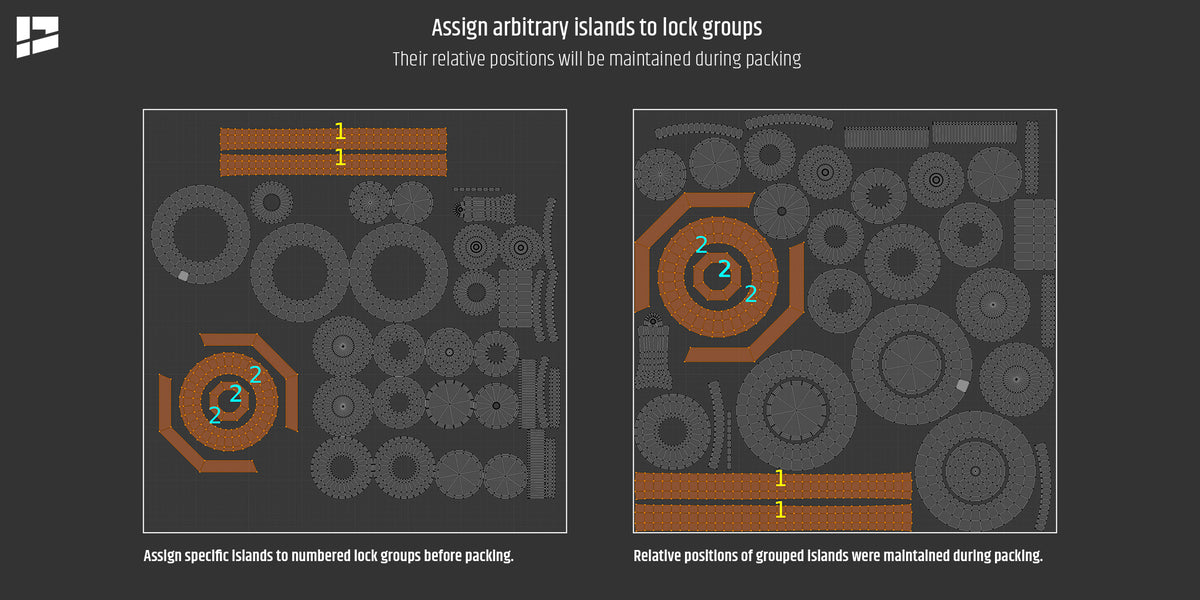
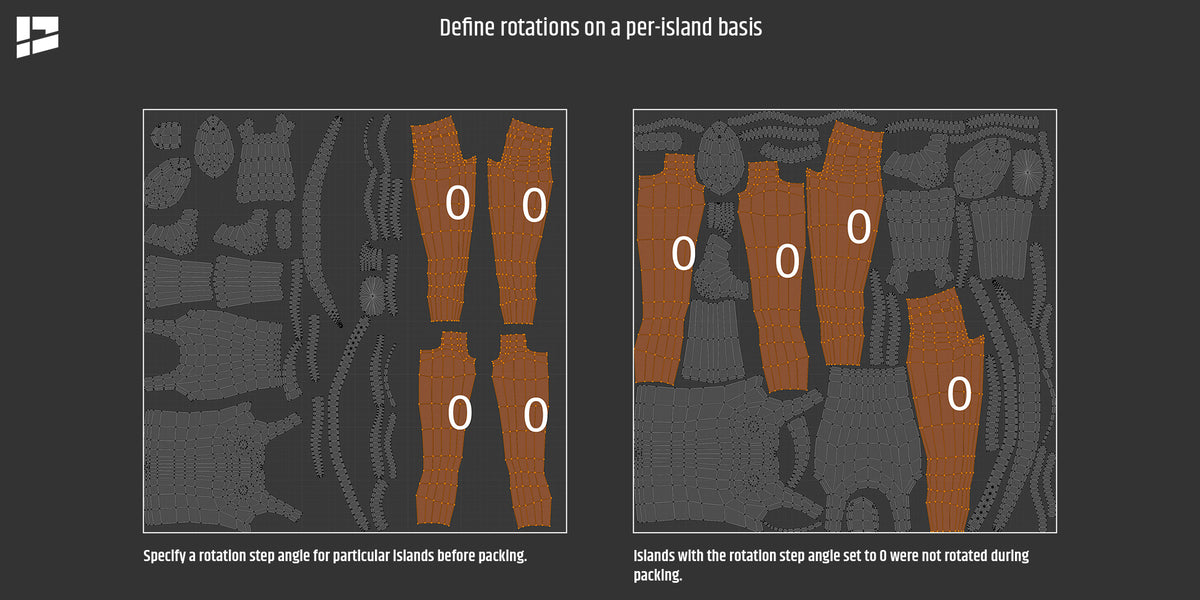
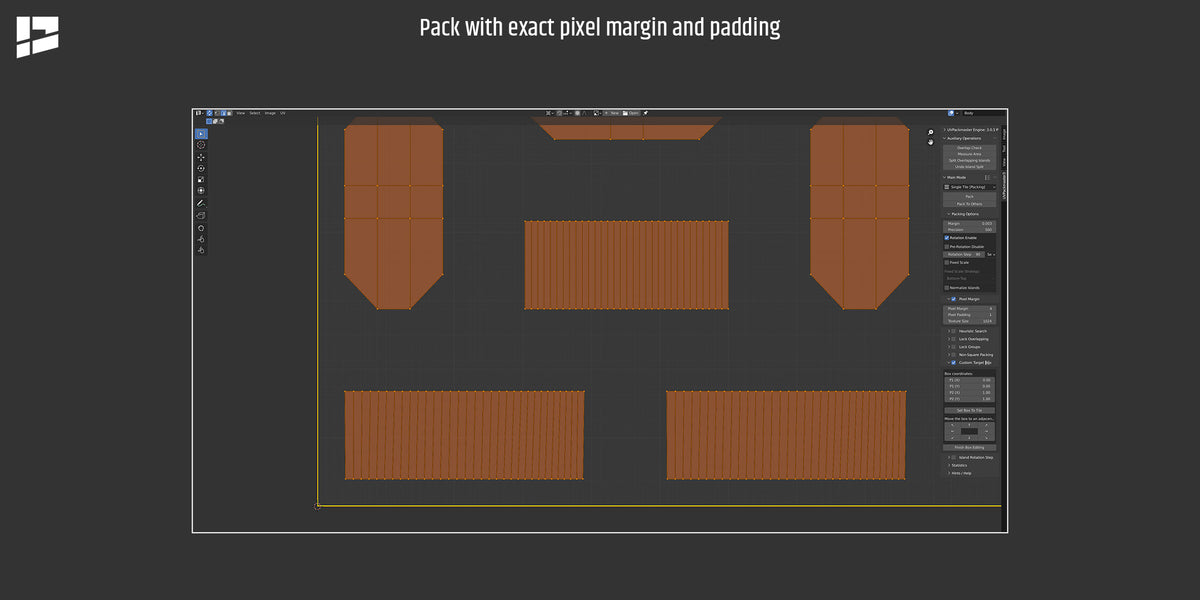
Browse them with the arrows, by swiping, or from the list. Click any image to enlarge it.
Pack all groups with a single click with full control over: target UV boxes for each group • relative texel density • group packing order (groups may be packed on the top of each other)


Define texel density tiers for fast texel density reassignments


Stack UV islands with: vertex position correction • automatic scale adjustment • orientation awareness in the 3D space • control over island priority


Iterate on the CPU and all GPUs in the system simultaneously to find the best possible packing in a second!


UVPackmaster comes with embedded Python for the most demanding users

AI assistant
Describe the UV operation you need in plain words. The AI assistant writes a Python script, and UVPackmaster runs it in its packing engine.
Use an online provider with your own API key, or run a model locally with Ollama or llama.cpp, with no internet connection needed.
UVPackmaster doesn't send your 3D data to the AI provider. Scripts run locally, in a restricted environment.
Save a generated script and rerun it later without a new AI request. Script parameters let you reuse it with different values.
Support
Read the documentation and watch the video tutorials to learn every feature of UVPackmaster 4 for Blender.
Licensing
The product consists of two components which are licensed differently:
Questions
UVPackmaster 4 for Blender runs on Windows, Linux and Mac (Intel and Apple Silicon) and supports Blender 2.93, 3.x, 4.x and 5.x. See the detailed requirements.
No. UVPackmaster is very fast on the CPU alone. With a Cuda or Vulkan GPU (on Windows and Linux), it runs on the CPU and all GPUs at the same time for even faster packing.
No. It is a one-time purchase that gives you a lifetime license with free updates.
Yes. Owners of UVPackmaster 2 and 3 get an upgrade discount: see the upgrade coupons on this product page, and "How can I upgrade to UVPackmaster 4" in the UVPackmaster 4 FAQ.
Read the documentation, watch the video tutorials, or browse the full feature list.
Email support@uvpackmaster.com.
It's really convenient, and they're very helpful when responding to inquiries.
The new AI assistant is a great idea! Would it be possible to connect it locally with Ollama too?
It's incredible. Definitely worth your time and money.
Probably the one addon I have absolutely zero regrets spending money on after using it for a while, I can't imagine working with UVs without it anymore.
Fantastic. Watched two videos, packed my UVs I'd so poorly planned. It's amazing. I've tried other things like Mio3 and they were fine, but this is SSS-Tier.
The absolute GOAT when it comes to creating production ready UV maps for game assets.
I have just upgraded and looking forward to trying the new version. I absolutely love version 3 and use it constantly to get the perfect UV layout for my mesh. Thank you for the extremely fair upgrade price along with this excellent addition to my blender collection.
Probably my most used plugin since I moved from 3DsMax to Blender 4 years ago. Absolutely amazing
An amazing tool for beginners who have absolutely no idea what they’re doing with UVs, and extremely large range of functionality for experienced users. The creator puts out regular, well-explained updates, and the starter tutorials are wonderfully in-depth, so regardless of your experience or skill level, you really get a clear understanding of each function in the panel.
Not only is the addon itself great, but in case of any issues, its creator(s) are very responsive and helpful! 5 stars!